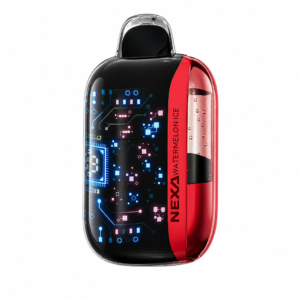
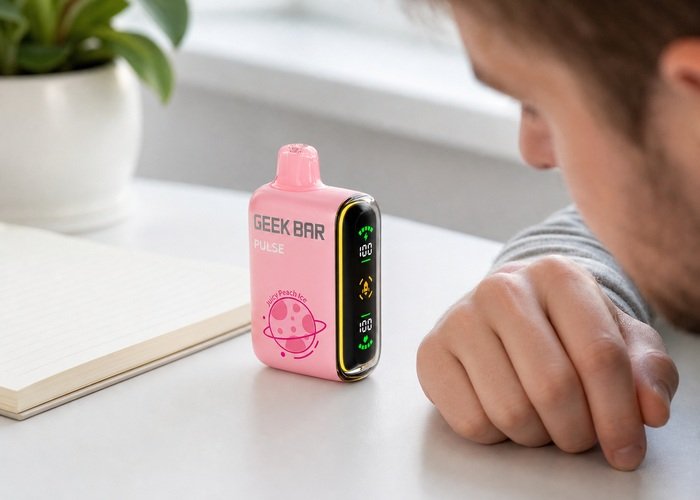
A Geek Bar Pulse that blinks red is giving you a warning, but the light alone does not identify one universal fault. It can appear when the remaining battery is low, when the device detects an activation problem, or when a protection circuit interrupts operation. The safest response is to stop drawing on it, place it on a clear surface and observe what happens before trying anything else.
This guide focuses on exterior checks an adult owner can perform without opening, striking, squeezing or modifying a sealed device. It also separates a recoverable power or airflow issue from signs that the product should be retired. If you see swelling, leaking, a cracked shell, intense heat, smoke or a sharp chemical odor, skip troubleshooting and move directly to safe isolation and support.
First confirm that the device matches the Geek Bar Pulse product page and that the screen, mouthpiece and airflow control have not been physically damaged. If the main symptom is no vapor rather than the red signal itself, keep the Pulse not-hitting guide open as a companion.
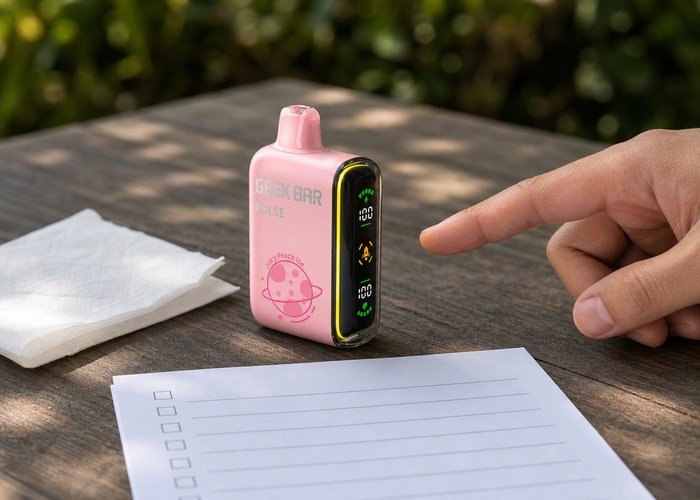
Record the exact warning pattern
Set the device upright on a clean, dry, nonflammable surface. Note whether the red signal appears only during a draw, continues after you stop, occurs while the device is untouched, or begins when a charging cable is connected. Also note what the battery and liquid indicators show. A ten-second observation is safer and more informative than repeatedly inhaling to provoke the light.
If the screen illuminates but there is no vapor, compare the symptom with the screen-on but no-vapor checklist. A display that works tells you that some electronics have power; it does not prove that airflow, the sensor or the heating path is operating normally.
Check battery status before airflow
A low battery is the least complicated explanation, so read the battery indicator before moving controls. If the unit is rechargeable and physically intact, follow the Geek Bar Pulse safe-charging guide. Use a sound cable, an ordinary suitable USB source and a hard surface where the device remains visible.
Do not assume that a red blink always means “keep charging.” If the device becomes hot, the port is loose, liquid is near the connector, the display repeatedly restarts, or the red warning continues after a normal supervised session, disconnect it. The U.S. Fire Administration recommends appropriate charging equipment and attention to damage and overheating.
When the battery reading appears adequate, do not keep topping it up just to erase the warning. Move to the exterior airflow check. Charging cannot fix a blocked mouthpiece, condensation around an air path or a damaged draw sensor, and unnecessary charging makes the diagnosis less clear.
Inspect the mouthpiece and airflow path
Remove the device from your mouth and inspect the mouthpiece under bright light. Wipe only the exterior with a dry tissue. Look for pocket lint, visible liquid or damage. Never insert a pin, toothpick, wire or blade into the airway, because a tool can push material deeper or contact internal components.
Verify that the exterior airflow control is not trapped between positions. Move it gently through its normal range once, then return it to a sensible setting. Do not force a stiff control. If the red light began immediately after a drop or impact, a normal-looking slider does not rule out internal damage; stop rather than trying to knock the sensor back into place.
Condensation on the outside can be wiped away, but repeated leaking is a retirement signal. Nicotine liquid should be kept away from skin, children and pets. Poison Control explains exposure risks and what to do if e-liquid is swallowed or contacts the body.
Use the pattern table
Match what you observe to the conservative action below. Because display behavior can vary by condition, the table is a triage aid rather than a promise that one color always maps to one component.
| Observed pattern | Safe interpretation | Next action |
|---|---|---|
| Red blink with a very low battery reading | Power may be insufficient | Inspect, then perform one supervised charge |
| Screen on but no vapor | Airflow, sensor or heating path may not be responding | Dry exterior check and one controlled retest |
| Red blink while untouched | Possible unintended activation or fault | Stop use, isolate and contact the seller |
| Heat, leak, swelling, odor or damage | Unsafe condition | Do not charge or retest; arrange safe handling |
One controlled retest
After a dry exterior inspection, adequate battery reading and normal airflow setting, allow the device to rest. Then make only one brief, normal activation attempt. Do not take repeated hard draws. If it works normally and the warning does not return, continue to observe it during ordinary use; if the red signal repeats, stop and document it.
A public owner discussion about Pulse warning behavior shows why the same visible symptom can generate conflicting guesses. Treat community reports as questions and experience, not as permission to bypass protection circuits. Unsafe suggestions such as blowing forcefully, dropping the device, puncturing it or opening the shell should be ignored.
The broader CDC e-cigarette information is also relevant: these products contain nicotine and are not harmless consumer electronics. Troubleshooting should never become an attempt to extend a damaged device beyond a reasonable service life.
Watch the controls and indicators
This public video is included only as a visual orientation to the product’s exterior controls and display. Use the safety checks in this guide for decisions about your own device.
After viewing, return to the observation sequence rather than copying any unverified repair shown elsewhere. A sealed device should remain sealed, and any unusual heat, leak, swelling or self-activation overrides a normal-looking display.
Keep a written note of the sequence you followed. Changing one variable at a time gives the seller useful evidence and avoids the false reassurance that can come from a temporary recovery.
If the device returns to normal, continue conservatively and watch for recurrence. If the same symptom returns, stop and use the support path described below.
When the red blink means stop
Stop using the device if it auto-activates, hisses while untouched, becomes hot, leaks repeatedly, smells burnt before a draw, has a deformed shell or continues blinking after a single controlled check. Place it on a nonflammable surface away from people and combustible material. Do not cover it, freeze it or immerse it in water.
If the device is cool and stable, photograph the display, body and order information. Consult the warranty page and return policy. Report when the warning began, whether it appears during a draw or at rest, what the indicators showed and whether the device was dropped or exposed to liquid.
A spent or damaged device contains a lithium battery and may retain nicotine residue. The EPA household e-cigarette guidance and used lithium-ion battery guidance explain why it should not go into household trash or curbside recycling. Follow local collection requirements.
A five-minute evidence checklist
Write down five facts: the battery reading, liquid reading, exact blink timing, whether the screen remains on, and whether heat, odor, noise or leaking is present. Add a clear photo of the port and airflow area without dismantling anything. That record helps distinguish a normal low-power warning from a recurring activation problem.
If the symptoms do not match a simple, stable low-battery condition, use the Airsipgo FAQ or contact support. A sealed device is replaceable; personal safety is not.
Deeper checks before a final decision
Timing is the most useful clue. A brief red signal only at the end of a draw is different from a warning that continues on the table. Write down how many flashes you see only if you can do so without provoking repeated activation; do not assume a flash count found online applies to every production version. The important distinction is whether the device settles when untouched or continues behaving as if it is being activated.
Environmental conditions can create misleading symptoms. A device brought in from a cold car may collect condensation, while one left in direct sun may be too warm for a meaningful test. Let it return naturally to room temperature on a hard surface. Do not accelerate the process with a heater, freezer or hair dryer. If moisture is visible near the mouthpiece or charging area, wipe the exterior and postpone any charging attempt.
If the warning follows a drop, examine the seam, display, mouthpiece and airflow control without squeezing the body. Even a small impact can shift internal parts without leaving a dramatic mark. Do not tap the device against a table or drop it again in hopes of resetting a sensor. A fault that disappears after impact is still a fault, and the battery may have been stressed even if the screen looks normal.
An auto-firing or hissing symptom deserves a separate response from an ordinary low-battery blink. Do not inhale from the device, do not cover the airflow holes and do not put it into a pocket or bag. Place it away from combustible items and monitor from a safe distance. If it stays active, becomes hot or produces smoke, move away and contact emergency services as appropriate rather than attempting to handle it.
When the device returns to normal after one controlled check, remain cautious. Use it only in a setting where you can observe the display and exterior, and stop at the first recurrence. A temporary recovery does not erase evidence of repeated warning behavior. Keeping the first photograph and note makes it easier to explain the sequence if the seller asks whether the issue was intermittent.
Support teams can act faster when the report is specific. State the product name, flavor, purchase date, battery and liquid readings, whether the warning appears during a draw or at rest, and whether there was heat, liquid or impact. Include photographs but never send a device through ordinary mail without instructions. Lithium batteries and residual nicotine may require a particular return or disposal route.
Before storing a stable unit for return, confirm that it is cool and no longer illuminating or making noise. Keep it upright in a ventilated area away from food, children, pets and metal objects. Do not seal a warm or leaking device in plastic. If its condition changes while waiting for support, update the seller and follow local hazardous-product advice rather than attempting another test.
It is also worth separating a screen animation from an actual warning. Photograph the complete display rather than only the red area, because battery, liquid and mode indicators provide context. Compare the sequence under the same lighting. A reflection or color transition captured in one frame can look alarming, while a recurring blink synchronized with failed activation is a reproducible symptom worth reporting.
Final safety notes
Keep the device and any retained packaging away from children and pets. Do not store it loose with keys, coins or other objects that can damage the body or port.
Never open, puncture, crush or deliberately short a sealed battery product. A temporary improvement after impact is not a repair and does not make the device safe. Revisit the battery fire-prevention guidance when deciding whether a device is suitable for another session.
When support recommends retirement, follow the household e-cigarette handling guidance and local electronic-waste and nicotine-product rules. Submission to a retailer or collection point should follow its packaging and transport instructions.
This checklist supports careful observation, but it cannot examine internal components. When a symptom remains ambiguous, choosing to stop is a valid and responsible result.
Frequently asked questions
Does a blinking red Geek Bar Pulse always mean the battery is empty?
No. Low power is one possibility, but timing, other screen indicators, heat, leaking and activation behavior matter.
Should I keep drawing until the warning clears?
No. Stop, observe the display and perform exterior checks. Repeated hard draws can worsen condensation or hide the pattern.
Can I open the device to fix the light?
No. It is a sealed battery product; opening or puncturing it creates chemical, electrical and fire risks.
What if it blinks while sitting untouched?
Treat that as a stop condition. Put it on a nonflammable surface away from combustible material and contact the seller.
How should I dispose of it?
Use a local collection route that accepts battery-containing electronic or nicotine devices; do not use household trash or curbside recycling.