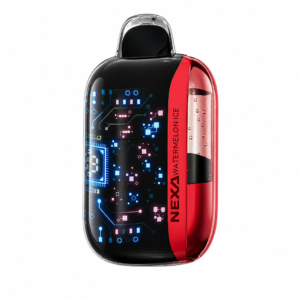
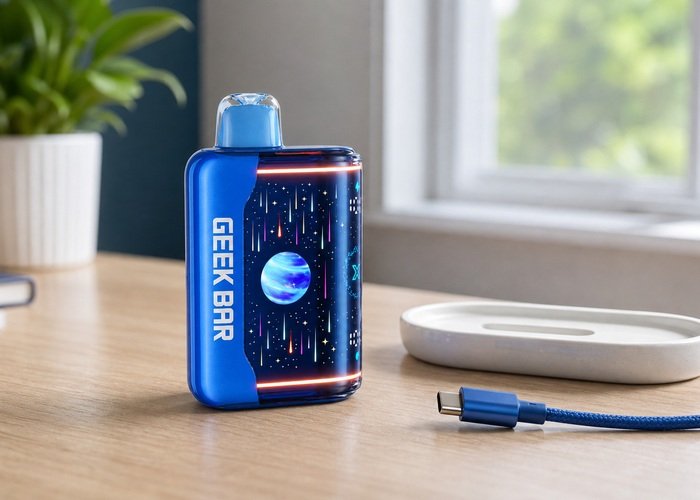
Charging a Geek Bar Pulse X2 should be a short, supervised maintenance step, not an overnight routine. The useful information is already on the device: the USB-C connection, the battery display and any change in temperature or behavior. If you approach those signals in a fixed order, you can avoid the most common mistakes—using a damaged cable, leaving the device on a soft surface, or continuing after it becomes unusually warm.
This guide is for adults who already use the product and want a careful way to restore battery power. It does not recommend opening the case, bypassing protections or attempting battery repair. A sealed device with a damaged port, swelling, leaking, a chemical smell or repeated heat should be isolated from use and handled through the seller or an appropriate recycling channel.
Before connecting anything, compare the device in hand with the details on the Geek Bar Pulse X2 product page. The body, mouthpiece, screen and port should be intact. If this is the first session, the Pulse X2 first-use checklist provides a useful baseline for inspecting the package and controls.
Start with a 60-second inspection
Wipe the exterior with a dry, lint-free cloth and look directly into the USB-C opening under good light. Pocket lint, moisture, bent metal or a loose internal tongue are reasons not to insert a plug. Do not probe the port with a pin, blade or other metal object. If debris does not fall away with the port facing downward and a gentle exterior brush, stop rather than forcing a connection.
Examine the cable separately. The connector should be straight, clean and firm in its housing, with no exposed conductor or sharp bend near either end. Choose a known-good, ordinary USB power source rather than an unfamiliar high-output accessory. The U.S. Fire Administration battery-safety guidance emphasizes following manufacturer instructions, using suitable charging equipment and keeping charging devices where they can be observed.
A safe charging setup
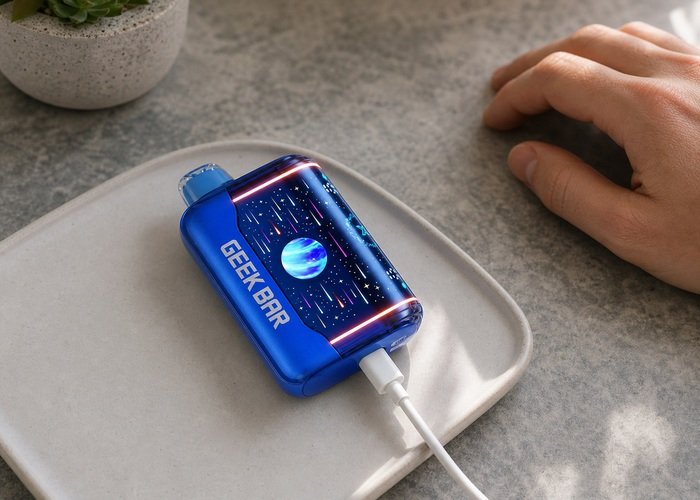
Place the Pulse X2 upright or flat on a stable, nonflammable surface such as a clean ceramic tray or clear desk. Keep it away from bedding, sofas, paper piles, direct sun, heaters and water. Connect the USB-C plug without twisting it. A normal plug seats smoothly; needing force, holding the cable at an angle or seeing the connection repeatedly drop points to a cable or port problem.
Stay in the room for the first few minutes. Confirm that the display responds and that the battery indicator changes in a plausible way. The exact time required varies with the remaining charge, power source, cable condition and device protections, so a universal minute count is less useful than the display and physical condition. Our Pulse X2 battery-percentage guide explains how to interpret the screen without treating it as laboratory instrumentation.
Disconnect immediately if the device becomes hot rather than mildly warm, produces an unusual smell, makes a persistent noise, leaks, swells or shows visible damage. Move it only if doing so is safe, keep it away from combustible material and do not resume charging to see whether the symptom repeats. The EPA guidance for used lithium-ion batteries explains why these batteries should not enter household trash or ordinary recycling bins.
What the screen can and cannot tell you
The display is best treated as a practical trend indicator. It can tell you that the device recognized external power and whether the battery estimate is moving upward. It cannot prove that a damaged cell is safe, nor can one frozen number confirm a failed battery. Watch the screen together with temperature, port stability and charging behavior.
If the animation appears but the percentage does not move, first give the device a brief supervised interval and then disconnect it. Try one known-good cable and one ordinary power source, one change at a time. Repeatedly swapping many chargers makes diagnosis harder and can mask an intermittent port. For icon meanings, use the Pulse X2 screen-icons guide as a visual companion.
If the device jumps rapidly between values, restarts whenever the plug moves or never recognizes a clean, firmly seated cable, stop. A sealed product is not an appropriate home electrical repair project. Photograph the display and port, retain the order details and review the warranty information before contacting the seller.
A simple decision table
Use the table below as a conservative triage tool. It is not a repair manual; its purpose is to separate a normal charging session from a condition that deserves a cable change, support request or immediate retirement.
| Observation | Likely next step | Do not do |
|---|---|---|
| Display responds and device stays near room temperature | Continue supervising and disconnect when adequate | Leave it charging overnight |
| No response with one cable | Disconnect; inspect; try one known-good cable and source | Force or wiggle the plug |
| Connection drops when cable moves | Stop and document the port condition | Hold the connector at an angle |
| Hot shell, odor, swelling, leak or noise | Disconnect if safe, isolate and retire | Resume charging or open the case |
During and after charging
Check the device periodically rather than leaving it unattended. Avoid using it while connected. Simultaneous use can add heat, place sideways stress on the port and make the battery display harder to interpret. Keep the cable relaxed so the connector is not carrying the weight of the device.
When the display indicates a full or adequate charge, unplug the power source and then remove the connector by gripping its housing rather than pulling the cable. Let the device sit on the hard surface for a few minutes. Confirm that it returns to room temperature, the port remains dry and the screen behaves normally before storage.
Do not make continuous top-ups the default. Recharge when the remaining battery actually requires it, and disconnect when the session is complete. If battery life becomes dramatically shorter over repeated sessions, document the pattern rather than lengthening each charge. The FDA overview of electronic nicotine delivery systems provides broader product context and reporting information.
Watch the controls and indicators
This public video is included only as a visual orientation to the product’s exterior controls and display. Use the safety checks in this guide for decisions about your own device.
After viewing, return to the observation sequence rather than copying any unverified repair shown elsewhere. A sealed device should remain sealed, and any unusual heat, leak, swelling or self-activation overrides a normal-looking display.
Keep a written note of the sequence you followed. Changing one variable at a time gives the seller useful evidence and avoids the false reassurance that can come from a temporary recovery.
If the device returns to normal, continue conservatively and watch for recurrence. If the same symptom returns, stop and use the support path described below.
When charging should end permanently
Retire the device if the shell is swollen or cracked, the port is pushed inward, liquid has reached the port, the device repeatedly overheats, or charging starts by itself after the cable is removed. A device that was submerged or left in a very hot vehicle should not be tested by plugging it in. Store it away from children and pets while arranging safe handling.
For disposal, follow local requirements for battery-containing electronic products. The EPA household e-cigarette disposal guidance explains that nicotine-containing devices and lithium batteries require care. If liquid contacts skin or is swallowed, contact local emergency services or Poison Control rather than relying on an online charging guide.
If the unit is otherwise intact but the charge behavior remains inconsistent, use the return and refund policy and provide the seller with a concise record: order number, cable and power source used, what the display showed and whether heat or odor occurred. Clear evidence is more useful than repeated attempts that may worsen the condition.
A repeatable charging checklist
Before every session: inspect the shell and port; choose a sound USB-C cable; clear the surrounding area; place the device on a hard surface; and remain nearby. During the session: verify the display, check temperature and avoid use. Afterward: disconnect by the plug, allow a short cool-down and store the cable separately so it cannot press against the port.
If any step produces an uncertain result, pause and use the site FAQ or contact Airsipgo with photos. The goal is not to make a questionable device accept power at any cost; it is to decide whether a normal charge is proceeding or whether the safest outcome is to stop.
Deeper checks before a final decision
A useful cable test is comparative rather than repetitive. If the first cable produces no stable response, disconnect it, inspect both ends and try one cable that you already know works with another low-power USB device. If the second cable behaves the same way, do not keep cycling through adapters. Two consistent observations are enough to prepare a support request, especially when the port feels loose or the screen restarts as the plug moves.
Power sources deserve the same restraint. A reputable wall adapter with an ordinary USB output is easier to evaluate than an unknown multiport hub, damaged laptop socket or improvised extension. Keep the adapter visible and make sure it is not unusually warm. Do not stack the device on top of the adapter, because combined heat can make a normal session look suspicious and makes it harder to tell which component is warming.
Charging in a vehicle adds avoidable variables: direct sunlight, high cabin temperature, vibration and an outlet that may remain powered after you leave. If travel charging is unavoidable, park in a cool place, keep the device in view and disconnect before leaving the vehicle. Never leave it on a dashboard, seat or closed console. A hot vehicle is not an acceptable storage location even when no cable is attached.
A clean record helps identify gradual battery decline. Note the starting display estimate, the point at which you disconnected and the approximate amount of ordinary use before the next recharge. You are looking for a trend, not an exact laboratory capacity. If useful time falls sharply across several otherwise similar sessions, or if the estimate drops in large unexplained steps, contact the seller instead of compensating with longer charges.
Moisture requires patience. If the port has been exposed to rain, condensation or spilled liquid, do not plug it in to see whether it still works. Disconnect any power, wipe only the exterior and leave the device in a dry, ventilated place away from heat. Do not use a hair dryer, oven, rice, compressed air or metal tool. A visibly contaminated or corroded port should be treated as damaged.
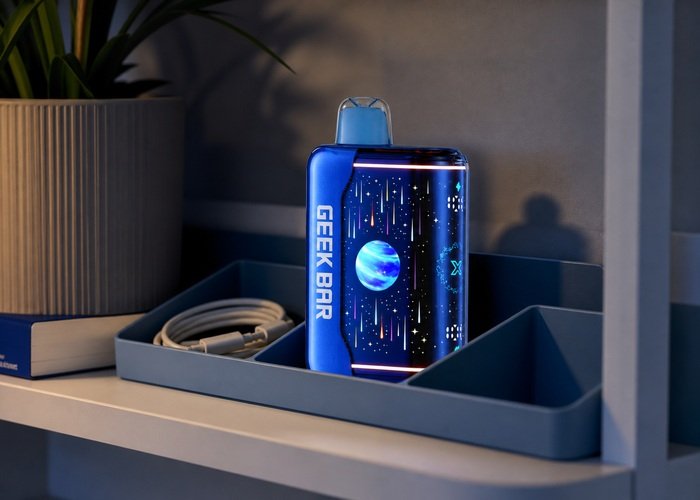
Finally, separate storage from charging. After disconnecting, keep the cable out of the organizer so its plug cannot press against the port. Store the device upright, at room temperature, away from direct light, children and pets. Recheck it later if it was warmer than expected. A device that remains warm after power is removed, or activates without contact, should be moved to the stop-and-retire path immediately.
Final safety notes
Keep the device and any retained packaging away from children and pets. Do not store it loose with keys, coins or other objects that can damage the body or port.
Never open, puncture, crush or deliberately short a sealed battery product. A temporary improvement after impact is not a repair and does not make the device safe. Revisit the battery fire-prevention guidance when deciding whether a device is suitable for another session.
When support recommends retirement, follow the household e-cigarette handling guidance and local electronic-waste and nicotine-product rules. Submission to a retailer or collection point should follow its packaging and transport instructions.
This checklist supports careful observation, but it cannot examine internal components. When a symptom remains ambiguous, choosing to stop is a valid and responsible result.
Frequently asked questions
Can I leave a Geek Bar Pulse X2 charging overnight?
No. Charge it where you can observe it, on a stable nonflammable surface, and disconnect after the session.
Why does the percentage stay the same?
Allow a brief supervised interval, then test one known-good cable and ordinary power source. If the number remains frozen or the port is intermittent, stop and contact the seller.
Is warmth normal while charging?
A slight temperature change may occur, but a hot shell, odor, swelling, leaking or persistent noise is a stop condition.
Can I use the Pulse X2 while it is connected?
Avoid doing so. It adds heat and mechanical stress to the charging port and makes behavior harder to evaluate.
What should I do with a damaged unit?
Do not place it in household trash. Keep it away from children and pets and follow local battery/electronic-waste instructions.