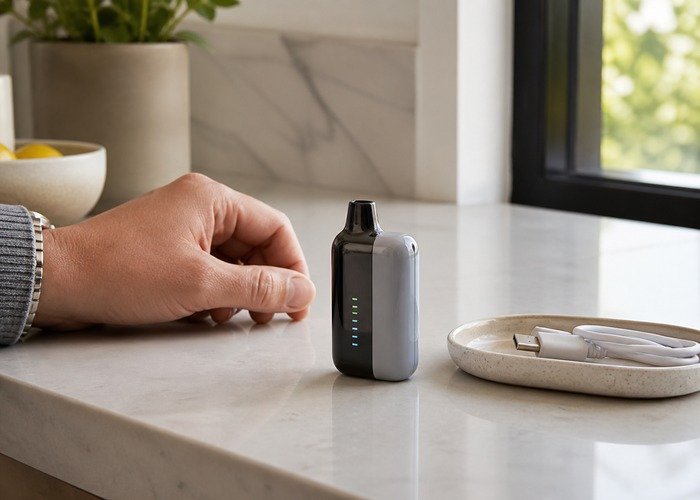
Charging should be a short, supervised maintenance step on a cool and intact device—not an overnight routine. Exact time varies with remaining charge, cable condition, source output and temperature, so the screen and physical condition matter more than a promised minute count.
This guide explains a controlled, exterior-only way to evaluate Geek Bar Pulse charging time. It is for adults who already use nicotine products and does not recommend opening, refilling, rewiring or modifying a sealed disposable.
Begin on a clear stable surface. If the device is hot, swollen, leaking, producing an unusual odor, hissing continuously or activating without a draw, stop immediately. Do not charge it, pocket it or continue testing it.

Check the current Airsipgo catalog for the exact model and use the product verification page when packaging or first-use behavior looks unusual. The FDA information on electronic nicotine products provides broader adult-use context.
Quick decision table
| Observation | What it may mean | Safe next action | Stop condition |
|---|---|---|---|
| Device is cool and undamaged | Place it upright on a hard, clear, nonflammable surface before connecting power. | Proceed with one supervised charge. | heat, swelling, leaking or odor appears |
| Port is clean and dry | Inspect the USB-C opening under good light without inserting metal tools. | Use a clean undamaged cable. | liquid, corrosion or bent material is visible |
| Screen starts a charge animation | A changing battery icon shows that the charging circuit recognized power. | Observe it periodically rather than leaving the room. | the screen flickers with heat or sound |
| No screen response | The cable, power source, port or device may be at fault. | Try one other known-good cable and low-stress USB source. | a second safe attempt also fails |
| Charge rises in steps | Small screens commonly update in bands rather than continuously. | Judge the trend across time, not every single percentage point. | the reading reverses repeatedly with abnormal heat |
| Cable or connector becomes warm | A slight temperature change at an adapter differs from a hot device or port. | Disconnect if safe and allow everything to cool. | heat increases, odor appears or plastic changes |
A useful diagnosis changes one safe variable at a time. Record the starting screen, mode, airflow position, room temperature, recent charging history and whether the device was dropped or stored in heat. A short sequence is more valuable than repeated forced attempts.
Do not assume that a temporary recovery proves repair. Sealed disposables contain liquid, electronics and a lithium-ion cell in a compact enclosure. External observation and retailer support are the appropriate limits for home troubleshooting.
Device is cool and undamaged
Place it upright on a hard, clear, nonflammable surface before connecting power. Proceed with one supervised charge. Stop the check if heat, swelling, leaking or odor appears. Note the screen state before and after the observation, because a repeatable pattern is easier for a retailer to assess than a vague description.
Keep the device upright and cool during the observation. Do not blow into openings, insert tools, cover airflow, use an incompatible power experiment, shake the device or copy disassembly advice. Those actions can change the original symptom and add avoidable risk.
Port is clean and dry
Inspect the USB-C opening under good light without inserting metal tools. Use a clean undamaged cable. Stop the check if liquid, corrosion or bent material is visible. Note the screen state before and after the observation, because a repeatable pattern is easier for a retailer to assess than a vague description.
Keep the device upright and cool during the observation. Do not blow into openings, insert tools, cover airflow, use an incompatible power experiment, shake the device or copy disassembly advice. Those actions can change the original symptom and add avoidable risk.
Screen starts a charge animation
A changing battery icon shows that the charging circuit recognized power. Observe it periodically rather than leaving the room. Stop the check if the screen flickers with heat or sound. Note the screen state before and after the observation, because a repeatable pattern is easier for a retailer to assess than a vague description.
Keep the device upright and cool during the observation. Do not blow into openings, insert tools, cover airflow, use an incompatible power experiment, shake the device or copy disassembly advice. Those actions can change the original symptom and add avoidable risk.
No screen response
The cable, power source, port or device may be at fault. Try one other known-good cable and low-stress USB source. Stop the check if a second safe attempt also fails. Note the screen state before and after the observation, because a repeatable pattern is easier for a retailer to assess than a vague description.
Keep the device upright and cool during the observation. Do not blow into openings, insert tools, cover airflow, use an incompatible power experiment, shake the device or copy disassembly advice. Those actions can change the original symptom and add avoidable risk.
Charge rises in steps
Small screens commonly update in bands rather than continuously. Judge the trend across time, not every single percentage point. Stop the check if the reading reverses repeatedly with abnormal heat. Note the screen state before and after the observation, because a repeatable pattern is easier for a retailer to assess than a vague description.
Keep the device upright and cool during the observation. Do not blow into openings, insert tools, cover airflow, use an incompatible power experiment, shake the device or copy disassembly advice. Those actions can change the original symptom and add avoidable risk.
The public video below is included for visual context about the model and screen. It is not permission to copy any internal repair, refill or battery-access procedure.
Watch for the exterior controls, display response and normal product form. Compare only what can be observed safely from the outside.
After viewing, return to the table and choose the least invasive next step. A documented return is a successful outcome when further testing would add uncertainty.
Pause before another observation. Continued activity, sound or warmth while the device is untouched is more important than whether an animation looks normal.
If the first symptom cannot be reproduced safely, do not create a harsher test. Record exactly what happened and contact support.
Keep children, pets, loose metal objects and flammable materials away throughout the check.
Cable or connector becomes warm
A slight temperature change at an adapter differs from a hot device or port. Disconnect if safe and allow everything to cool. Stop the check if heat increases, odor appears or plastic changes. Note the screen state before and after the observation, because a repeatable pattern is easier for a retailer to assess than a vague description.
Keep the device upright and cool during the observation. Do not blow into openings, insert tools, cover airflow, use an incompatible power experiment, shake the device or copy disassembly advice. Those actions can change the original symptom and add avoidable risk.
Device was stored in a cold or hot place
Extreme temperature can affect charging behavior. Let the intact device return naturally to room temperature. Stop the check if the case is deformed or leaking. Note the screen state before and after the observation, because a repeatable pattern is easier for a retailer to assess than a vague description.
Keep the device upright and cool during the observation. Do not blow into openings, insert tools, cover airflow, use an incompatible power experiment, shake the device or copy disassembly advice. Those actions can change the original symptom and add avoidable risk.
Screen reaches full
Continued connection adds no practical benefit. Disconnect and store upright away from heat and children. Stop the check if the device remains active or warm. Note the screen state before and after the observation, because a repeatable pattern is easier for a retailer to assess than a vague description.
Keep the device upright and cool during the observation. Do not blow into openings, insert tools, cover airflow, use an incompatible power experiment, shake the device or copy disassembly advice. Those actions can change the original symptom and add avoidable risk.
Charging stops and restarts
An intermittent cable or port can create repeated stress. Stop and document the pattern for support. Stop the check if movement is required to maintain contact. Note the screen state before and after the observation, because a repeatable pattern is easier for a retailer to assess than a vague description.
Keep the device upright and cool during the observation. Do not blow into openings, insert tools, cover airflow, use an incompatible power experiment, shake the device or copy disassembly advice. Those actions can change the original symptom and add avoidable risk.
Battery depletes unusually fast after charging
A display estimate or battery fault may be involved. Record mode, usage and charge behavior, then contact the retailer. Stop the check if the device activates itself or becomes hot. Note the screen state before and after the observation, because a repeatable pattern is easier for a retailer to assess than a vague description.
Keep the device upright and cool during the observation. Do not blow into openings, insert tools, cover airflow, use an incompatible power experiment, shake the device or copy disassembly advice. Those actions can change the original symptom and add avoidable risk.
Safety boundaries
The FDA battery safety tips and U.S. Fire Administration battery safety guidance emphasize cautious handling of lithium-powered vaping products. Stop for heat, swelling, leakage, sparks, smoke, odor, prolonged hissing or uncommanded activation.
Never charge on bedding, inside a bag, under clothing or in direct sun. Never open the case to inspect the cell. If disconnecting power would require touching a hot or damaged product, keep people away and follow local emergency guidance.
Prepare a useful support record
Keep the receipt, box, flavor name, batch details and security information. Review the warranty process, return and refund policy and contact team before shipping anything.
Provide the exact model, first and current screen readings, mode, airflow position, cable and power source if relevant, storage conditions, timeline, photographs and the single safe check already performed. Do not mail a damaged lithium-powered device without written instructions.
End-of-life handling
The EPA lithium-ion battery recycling guidance and EPA e-cigarette disposal guidance explain why intact lithium-powered electronic nicotine devices need an appropriate collection route rather than household trash or curbside recycling.
The CDC e-cigarette information provides health context, while the official Geek Bar Pulse product information confirms the Pulse screen and charging display features referenced in this guide.
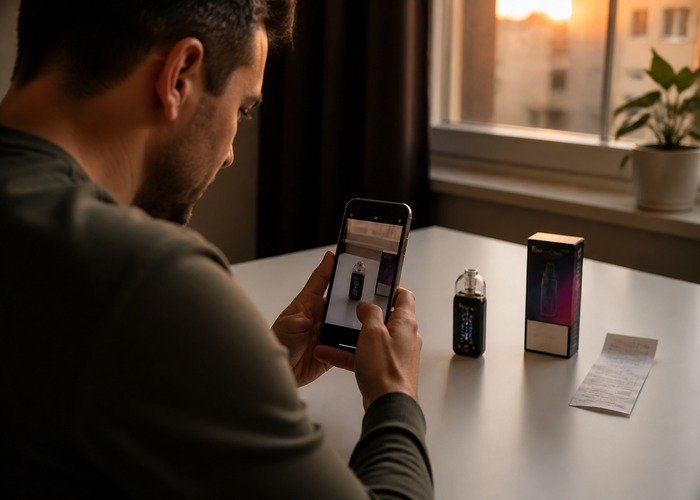
Store an inactive cool device individually until an approved collection or return route is available. Do not remove the battery yourself, crush the case or place it with loose metal objects.
For more site guidance, use the support FAQ or return to the Airsipgo home page. The practical goal is to make a clear decision, not to keep a sealed device operating at any cost.
Nicotine is addictive. This material is intended for adults of legal purchasing age who already use nicotine products. Keep devices and liquid away from children and pets, and seek appropriate poison-control or medical guidance after exposure.
When evaluating Geek Bar Pulse charging time, stop after the safe external checks answer the decision. If uncertainty remains, keep the product unused and intact and let the retailer handle the next step.
Frequently Asked Questions
Can I open the device to check it?
No. Opening a sealed disposable can expose liquid, wiring and a lithium-ion cell.
Should one screen value decide whether I keep using it?
No. Combine the display with flavor, vapor, temperature, charging behavior and repeatable observations.
Can I keep testing after unusual heat or hissing?
No. Stop use and follow retailer or local safety guidance.
What should I send the seller?
Send the exact model, order record, security result, photographs, screen readings and a concise timeline.
Can the device go in household trash?
No. Use an appropriate collection route for intact lithium-powered electronic nicotine devices.
When should I stop immediately?
Stop for heat, swelling, leakage, odor, smoke, sparks, prolonged hissing or firing without a draw.
Observation note 1: for device is cool and undamaged, keep conditions consistent and write down what changed. Place it upright on a hard, clear, nonflammable surface before connecting power. Proceed with one supervised charge. Do not repeat the check when heat, swelling, leaking or odor appears. This disciplined limit preserves useful evidence and prevents a display or setting question from becoming an unsafe internal experiment.
Observation note 2: for port is clean and dry, keep conditions consistent and write down what changed. Inspect the USB-C opening under good light without inserting metal tools. Use a clean undamaged cable. Do not repeat the check when liquid, corrosion or bent material is visible. This disciplined limit preserves useful evidence and prevents a display or setting question from becoming an unsafe internal experiment.