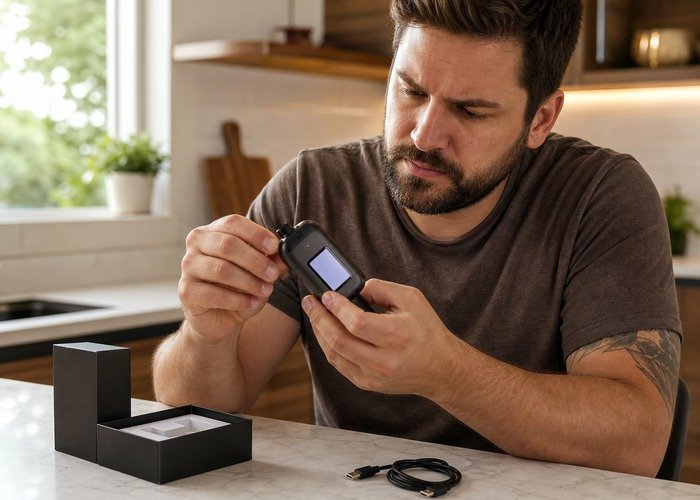
If your Geek Bar Pulse shows the symptom in this title, do not begin by opening it or repeatedly forcing it to work. The useful first decision is whether the pattern comes from a setting or estimate, an ordinary end-of-life condition, a returnable fault, or a safety condition that requires immediate stop-use.
This guide gives a controlled, exterior-only process for Geek Bar Pulse not hitting. It is designed to help an adult document the symptom, make one safe observation at a time, and know when further testing has no practical value.
Before checking anything, place the device on a clear stable surface. If it is hot, swollen, leaking, producing odor, hissing continuously, or firing without a draw, do not charge or handle it further. Follow local emergency and disposal guidance.
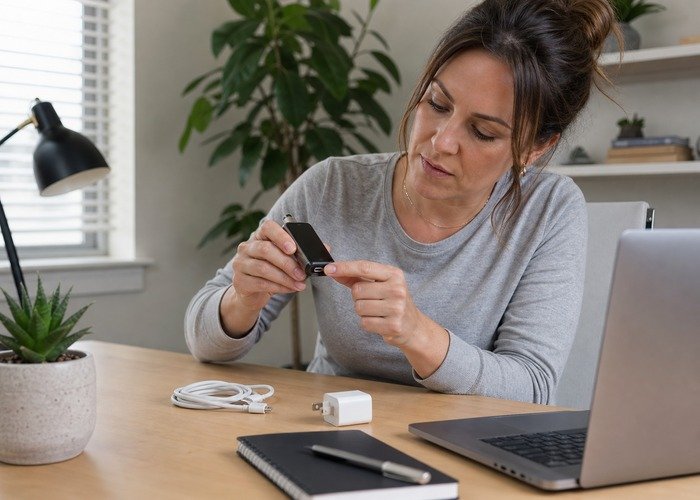
General context is available from the Airsipgo home, while model availability can be checked in the current product catalog. The FDA information on electronic nicotine products explains why these products require adult-only, safety-conscious handling.
Read the symptom before choosing an action
Write down what happened before trying anything. Record the displayed battery and liquid levels, active mode, airflow position, whether the device was recently charged or dropped, and whether the symptom appeared suddenly or gradually. A short timeline helps separate a setting problem from a failed sensor, depleted liquid supply, damaged coil, display estimate, or unsafe electrical fault.
Battery and liquid indicators are decision aids, not laboratory instruments. A screen may estimate remaining charge from voltage and remaining liquid from programmed consumption rather than directly measuring every drop. Readings can move in steps. Judge the whole pattern: vapor production, flavor, temperature, charging behavior, leakage, and whether the display changes consistently over several normal uses.
| Observed clue | Likely category | Safe next step | Stop condition |
|---|---|---|---|
| Mode control is closed | The device may be intentionally locked rather than defective. | Move the exterior control to its normal operating position once, then take one gentle draw. | The control feels loose, broken, or the device activates by itself. |
| Protective seal remains | A mouthpiece or airflow seal can prevent normal air movement. | Remove only factory packaging intended for removal and inspect the exterior openings. | Anything appears forced inside the airway or liquid is visible. |
| Airflow is fully restricted | A closed intake can stop the draw sensor from receiving enough pressure change. | Set airflow near the middle and try one slow, moderate draw. | The intake is damaged or the case is cracked. |
| Battery display is stale | The screen can retain a prior value even when usable voltage is too low. | Use one known-good USB-C cable on a stable surface and observe charging. | The port, cable, or case becomes hot or smells unusual. |
| Liquid display is only an estimate | A displayed reserve does not prove the wick can still feed the coil. | Compare the reading with flavor strength, vapor decline, and any burnt note. | The taste is burnt, chemical, or irritating. |
Mode control is closed
The device may be intentionally locked rather than defective. Move the exterior control to its normal operating position once, then take one gentle draw. Stop the check immediately if the control feels loose, broken, or the device activates by itself. A single repeatable observation is more useful than many forced attempts, because repeated activation can hide the original sequence and may worsen a damaged coil, sensor, port, or battery.
Do not interpret a temporary recovery as proof of repair. If the same symptom returns under the same normal conditions, preserve the device in its current intact state and use the retailer’s documented support route.
Protective seal remains
A mouthpiece or airflow seal can prevent normal air movement. Remove only factory packaging intended for removal and inspect the exterior openings. Stop the check immediately if anything appears forced inside the airway or liquid is visible. A single repeatable observation is more useful than many forced attempts, because repeated activation can hide the original sequence and may worsen a damaged coil, sensor, port, or battery.
Do not interpret a temporary recovery as proof of repair. If the same symptom returns under the same normal conditions, preserve the device in its current intact state and use the retailer’s documented support route.
Airflow is fully restricted
A closed intake can stop the draw sensor from receiving enough pressure change. Set airflow near the middle and try one slow, moderate draw. Stop the check immediately if the intake is damaged or the case is cracked. A single repeatable observation is more useful than many forced attempts, because repeated activation can hide the original sequence and may worsen a damaged coil, sensor, port, or battery.
Record the time, screen state, mode, airflow position, charging history, and whether the device was recently dropped or stored in heat. Compare those facts with the product verification page before deciding that the display alone proves the product is genuine or mechanically sound.
Battery display is stale
The screen can retain a prior value even when usable voltage is too low. Use one known-good USB-C cable on a stable surface and observe charging. Stop the check immediately if the port, cable, or case becomes hot or smells unusual. A single repeatable observation is more useful than many forced attempts, because repeated activation can hide the original sequence and may worsen a damaged coil, sensor, port, or battery.
Do not interpret a temporary recovery as proof of repair. If the same symptom returns under the same normal conditions, preserve the device in its current intact state and use the retailer’s documented support route.
Liquid display is only an estimate
A displayed reserve does not prove the wick can still feed the coil. Compare the reading with flavor strength, vapor decline, and any burnt note. Stop the check immediately if the taste is burnt, chemical, or irritating. A single repeatable observation is more useful than many forced attempts, because repeated activation can hide the original sequence and may worsen a damaged coil, sensor, port, or battery.
Do not interpret a temporary recovery as proof of repair. If the same symptom returns under the same normal conditions, preserve the device in its current intact state and use the retailer’s documented support route.
The following public video is included for visual context only. Do not copy any disassembly, refill, impact, wiring, or battery-access procedure that may appear in user-generated material.
Watch for the exterior controls, screen response, and overall device form. Those visible details can help describe a fault to support, but they do not authorize internal repair.
After viewing, return to the decision table and choose the least invasive next step. A safe return is a successful outcome when the alternative is uncertain experimentation.
Use one change at a time. If you alter the cable, airflow, mode, storage temperature, and draw style together, a temporary recovery tells you nothing. A controlled check means changing one safe variable, observing once, and stopping if the device becomes warm, smells unusual, leaks, flashes repeatedly, or activates without a draw.
Allow several minutes between observations. A pause helps reveal whether screen activity, sound, or warmth continues when nobody is drawing on or handling the device.
If the behavior cannot be reproduced safely, do not manufacture a harsher test. Describe exactly what occurred the first time and let the retailer decide the replacement or disposal route.
Draw sensor does not respond
A screen that never reacts to a draw can indicate a failed or obstructed sensor. Keep the device upright at room temperature and retry once after a short rest. Stop the check immediately if it fires late, continues firing, or hisses after the draw. A single repeatable observation is more useful than many forced attempts, because repeated activation can hide the original sequence and may worsen a damaged coil, sensor, port, or battery.
Do not interpret a temporary recovery as proof of repair. If the same symptom returns under the same normal conditions, preserve the device in its current intact state and use the retailer’s documented support route.
Condensation is near the mouthpiece
Normal condensation can collect externally, but liquid must not be pushed deeper. Wipe only the exterior with a dry tissue while the device is inactive. Stop the check immediately if there is active leaking or liquid reaches skin or mouth. A single repeatable observation is more useful than many forced attempts, because repeated activation can hide the original sequence and may worsen a damaged coil, sensor, port, or battery.
Do not interpret a temporary recovery as proof of repair. If the same symptom returns under the same normal conditions, preserve the device in its current intact state and use the retailer’s documented support route.
Coil has reached end of life
A full-looking display cannot restore a failed heating element. Stop repeated attempts and document the screen and symptom for the retailer. Stop the check immediately if the device becomes hot or produces a burnt smell. A single repeatable observation is more useful than many forced attempts, because repeated activation can hide the original sequence and may worsen a damaged coil, sensor, port, or battery.
Do not interpret a temporary recovery as proof of repair. If the same symptom returns under the same normal conditions, preserve the device in its current intact state and use the retailer’s documented support route.
Recent drop or impact
Internal connections can fail even when the shell looks normal. Do not shake, strike, or drop it again; use the return route. Stop the check immediately if the shell is dented, split, swollen, or leaking. A single repeatable observation is more useful than many forced attempts, because repeated activation can hide the original sequence and may worsen a damaged coil, sensor, port, or battery.
Do not interpret a temporary recovery as proof of repair. If the same symptom returns under the same normal conditions, preserve the device in its current intact state and use the retailer’s documented support route.
New device never worked
An out-of-box failure belongs in retailer support, not a home repair. Keep all packaging, verify the product, and request a replacement review. Stop the check immediately if the security result is suspicious or any safety symptom appears. A single repeatable observation is more useful than many forced attempts, because repeated activation can hide the original sequence and may worsen a damaged coil, sensor, port, or battery.
Do not interpret a temporary recovery as proof of repair. If the same symptom returns under the same normal conditions, preserve the device in its current intact state and use the retailer’s documented support route.
Charging, heat and physical-damage rules
A sealed disposable is not a repairable appliance. Do not pry off the mouthpiece, puncture the case, bridge electrical contacts, expose the cell, add liquid, or copy disassembly tricks from social posts. Those actions can turn a straightforward return into a leak, short circuit, nicotine exposure, or battery incident. The only sensible home checks are external, reversible, and brief.
Use the FDA battery safety tips and U.S. Fire Administration battery safety guidance as safety references. Charge only a cool, intact device on a stable nonflammable surface with a suitable undamaged cable. Never charge on bedding, in a pocket or bag, in direct sun, near water, or while the port contains debris or liquid.
The consumer lithium-ion battery safety advice recommends stopping use when a lithium-powered product shows damage, leakage, unusual odor, or abnormal heat. Do not use the Geek Bar Pulse as a test object once any of those signs appears.
Prepare a useful retailer report
Keep the box, receipt, batch information, flavor name, security label, and photographs. Retail support can act more confidently when the report identifies the exact model and sequence rather than saying only that it stopped working. Do not mail a damaged or overheating lithium-powered device unless the seller and carrier provide an approved procedure.
Check the warranty process and return and refund policy. Include the exact model, flavor, order date, security result, first and current screen readings, mode, airflow setting, cable used, and a concise description of the symptom.
For direct assistance, use the contact team. Avoid sending a damaged lithium-powered device until written instructions confirm how it should be handled.
Responsible end-of-life handling
At end of life, do not place a device containing a lithium-ion cell in household trash or curbside recycling. Use a program that accepts intact electronic nicotine devices or household hazardous waste. Store an inactive, cool device individually and follow the collection program’s instructions rather than removing the battery yourself.
The EPA lithium-ion battery guidance and EPA e-cigarette disposal guidance explain why intact lithium-powered electronic products need a separate collection route. The CDC e-cigarette information also provides broader health context for adult users.
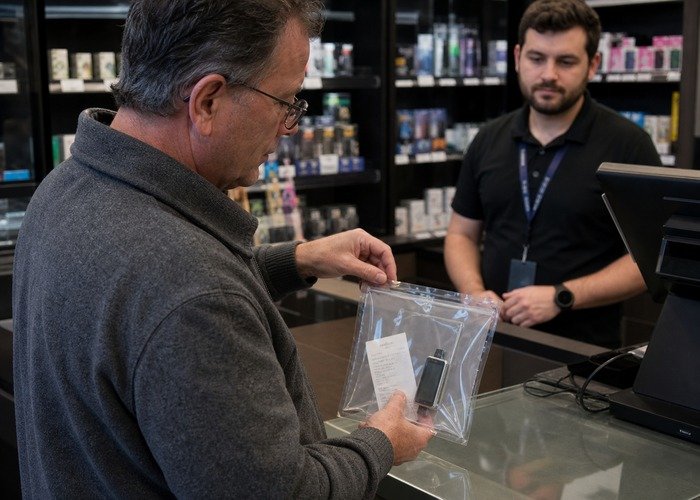
Nicotine is addictive, and this material is for adults who already use nicotine products. A non-user should not begin. Keep every device away from children and pets, wash exposed skin after contact with leaked liquid, and follow local poison-control or medical advice if liquid is swallowed or causes symptoms.
A final cross-check is available in the support FAQ. The practical goal is not to make a sealed disposable last at any cost; it is to distinguish a normal setting or estimate from a product that should be returned, retired, or isolated.
For Geek Bar Pulse not hitting, stop once the safe external checks have answered the decision. If uncertainty remains, keep the device unused and intact, document it, and contact the retailer rather than escalating the experiment.
Frequently Asked Questions
Can I reset the device by opening it?
No. Opening a sealed disposable exposes liquid, wiring and a lithium-ion cell. Use only exterior controls and retailer support.
Is the screen always exact?
No. Treat it as an estimate and compare it with vapor, flavor, temperature, charging and repeatable behavior.
Should I keep trying if it works once?
No. A temporary recovery does not prove a recurring electrical, sensor or coil fault is resolved.
What information should I send the seller?
Send the model, flavor, order record, security result, screen readings, mode, airflow position, charging details, photos and a short timeline.
Can it go in household trash?
No. Use an appropriate program for intact lithium-powered electronic nicotine devices and follow local instructions.
When is the situation urgent?
Unexpected heat, swelling, leaking, odor, smoke, sparks, prolonged hissing or firing without a draw require immediate stop-use and safe isolation.